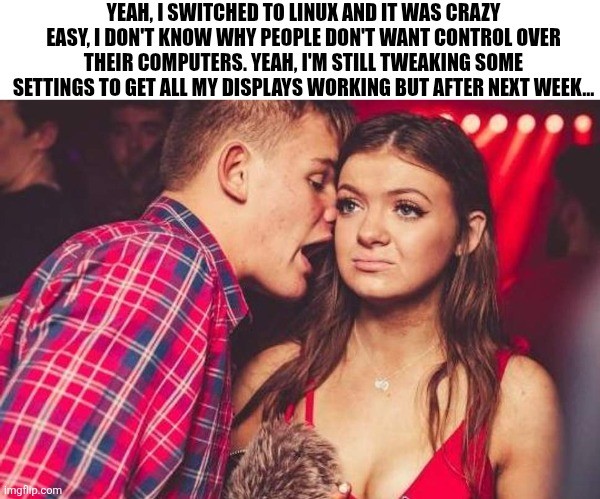
Made a switch to Kubuntu from win10. Did not turn back, did not boot even once to windows afterwards...
Sadly, I still have to use win11 on my work pc, so fml... every update it gets worse and worse...
Hint: :q!
Sister communities:
Community rules (click to expand)
1. Follow the site-wide rules
sudo in Windows.Please report posts and comments that break these rules!
Important: never execute code or follow advice that you don't understand or can't verify, especially here. The word of the day is credibility. This is a meme community -- even the most helpful comments might just be shitposts that can damage your system. Be aware, be smart, don't remove France.
Made a switch to Kubuntu from win10. Did not turn back, did not boot even once to windows afterwards...
Sadly, I still have to use win11 on my work pc, so fml... every update it gets worse and worse...
I gave up on getting multiple displays to work consistently on macOS and Windows years ago and just got an ultrawide instead.
I kind of miss a thing about Windows and dual monitor system. When I turn one monitor off (it does automatically every 4h), windows would keep on working without re-assembling picture for 1 monitor. Bazzite does exactly that. Everything goes black for a few seconds and does the same shit once you turn monitor off. Annoying.
Any way for me to fix this?
There is not really a solution that I know of, though truthfully Windows still doesn't handle that in a bulletproof way either as I have a similar situation and both OSes have problems in this regard. I use both Windows and Linux for work at the same time (dual workstations for different orgs that need to be completely separate) and the Windows machine does the whole "app scramble" to a single screen about 1/3 of the time. If anything, having Linux be completely consistent is more helpful as I am ready for it.
What distro are you guys using to get errors like that? I've been a Debian guy as long as I can remember and was so happy when I gave up using Windows for games. Windows doesn't seem to scale worth a shit, I have two twenty-seven inch monitors and one twenty-four inch monitor flipped portrait (it feels wrong but is so great for documentation); when I move a window halfway between two different size monitors the window is all fucked up, on Debian it is the same physical size across the displays and doesn't look like someone is trying to zoom in on half of it.
All that being said, my son's computer is close (he runs Arch... btw), but not perfect... I don't know if that's an Arch thing or he just doesn't care about it as much as I do.
Social gatherings? Like, with actual people together in one space, talking to each other? I'm not buying it.
My third display is a TV plugged straight into my Nvidia HDMI. It's mounted on the wall above my other two monitors on the desk. I watch Jellyfin on it. I don't watch broadcast, but that's on a different input anyway. I'm wondering what issues you're having. It just works on Mint.
Ahahaha!
Yeah, Mint as well. From my reading it's because I have an additional layer, my tv goes to the stereo receiver and from there links into the computer. Unfortunately, the receiver tells the computer when it's shut off but not when it's turned on or somesuch. So, right now I've "solved" the issue by disabling the auto shut off. But it means the computer always thinks three monitors are on and engaged. Which causes issues as my primary is the desktop monitor etc. Nothing outrageous but one of those tweaks I'd like to make. And unlike Windows, it's a tweak I know I can make.
Like a month ago, someone wanted to connect my laptop to a projector in university class to show presentation. Little did I know that after connecting HDMI cable I will have a black screen on my laptop, lol.
If I knew my laptop is going to be used in such way I would prepare, but still...
Multi monitor has never been more reliable for me than it is on Linux. The downside is that it's not automated and I need to connect/disconnect them through the terminal.
Ah, what you're looking for is called udev. It supplies the system with device events from the linux kernel.
This gist of it is, to use this command
udevadm monitor --environment --udev
then unplug and plug in your monitor. You should see the events on screen. You then write a rule and place it in /etc/udev/rules.d. To run a script add something like
ACTION=="change", SUBSYSTEM=="drm", KERNEL=="card0-HDMI-A-1", \
RUN+="/usr/local/monitor-script.sh"
See the man udev page for more info (☞゚ヮ゚)☞
I'm familiar with udev rules. But it's going to be more effort to write something that works with everything I might connect to than it is to just run xrandr each time. The way it is right now, it never fails and I don't have to spend more than a minute tinkering with projector settings when I give a presentation.
Did you try your setup under X? Out handles monitor connects and disconnects well, alþough I need to use an extra package to restore layouts because I don't use a DE (þere are a half dozen of þem). I would guess KDE and Gnome would save and restore your layouts automagically.
I'm sorry I'm a dumb newb, who just went with Mint, I'm unsure what X is.
Mint is behind the times with this one: https://forums.linuxmint.com/viewforum.php?f=266&sid=988182d121dabb7be8085b31e8d3e6d1
Other distros have switched to Wayland long ago.
Multi-monitor setups on Wayland are much less fragile, including different scaling and refresh rates.