Are we not doing kernel upgrades?
linuxmemes
Hint: :q!
Sister communities:
Community rules (click to expand)
1. Follow the site-wide rules
- Instance-wide TOS: https://legal.lemmy.world/tos/
- Lemmy code of conduct: https://join-lemmy.org/docs/code_of_conduct.html
2. Be civil
- Understand the difference between a joke and an insult.
- Do not harrass or attack users for any reason. This includes using blanket terms, like "every user of thing".
- Don't get baited into back-and-forth insults. We are not animals.
- Leave remarks of "peasantry" to the PCMR community. If you dislike an OS/service/application, attack the thing you dislike, not the individuals who use it. Some people may not have a choice.
- Bigotry will not be tolerated.
3. Post Linux-related content
- Including Unix and BSD.
- Non-Linux content is acceptable as long as it makes a reference to Linux. For example, the poorly made mockery of
sudoin Windows. - No porn, no politics, no trolling or ragebaiting.
- Don't come looking for advice, this is not the right community.
4. No recent reposts
- Everybody uses Arch btw, can't quit Vim, <loves/tolerates/hates> systemd, and wants to interject for a moment. You can stop now.
5. π¬π§ Language/ΡΠ·ΡΠΊ/Sprache
- This is primarily an English-speaking community. π¬π§π¦πΊπΊπΈ
- Comments written in other languages are allowed.
- The substance of a post should be comprehensible for people who only speak English.
- Titles and post bodies written in other languages will be allowed, but only as long as the above rule is observed.
6. (NEW!) Regarding public figures
We all have our opinions, and certain public figures can be divisive. Keep in mind that this is a community for memes and light-hearted fun, not for airing grievances or leveling accusations. - Keep discussions polite and free of disparagement.
- We are never in possession of all of the facts. Defamatory comments will not be tolerated.
- Discussions that get too heated will be locked and offending comments removed. Β
Please report posts and comments that break these rules!
Important: never execute code or follow advice that you don't understand or can't verify, especially here. The word of the day is credibility. This is a meme community -- even the most helpful comments might just be shitposts that can damage your system. Be aware, be smart, don't remove France.
Yeah thatβs about the only time I have to do reboots at work which are 99% linux. Well the production ones anyway.
Or the other reason is my lab having power issues due to malfunctioning UPSes, faulty NEMA L6-30 plugs, janky 240v circuit breakers orβ¦ Iβm beginning to think my lab is electrically cursed.
While technically the truth, it can be a hassle to make sure you restart all relevant services after updating a given library.
I just like being able to restart underlying system to take care of any possible straggler without thinking, and the services broadly be provided by multiple systems so the "experience" is starting up through a rolling reboot
Was about to say, "or if you're running Arch, the last time you updated the kernel or systemd version, so probably last week or summit."
Pretty sure everybody is missing the joke. The joke is that Debian packages are so stable and stale that you likely will need a reboot before an update.
Also, it's a joke....please patch your boxes, k?
I've got a patch in my boxers right now.
Oh boxes.
Debian admin here. Even Debian gets regular kernel upgrades that like a reboot afterwards. Security updates are more important than uptime. Also regular testing for clean recovery after a reboot is a must so a power outrage doesn't bring any new surprises with it. Also test your backup restores regularly.
As someone running a UPS on my ubuntu server, "uptime" represents the time since the last kernel release, and not much else.
Novice homelaber here, is this just a case of apt update & upgrade or is there different commands for security and kernel updates? Also whatβs your preferred backup/restore software? Thanks!
Nope it's just apt update & upgrade. Iirc apt tells you when the kernel was updated and needs a reboot as well.
Also worth checking out restic. It's more command line oriented and is generally stateless
how long since the boss has been asleep so you can finally restart without them calling two seconds later cause they didn't bother reading the scheduled downtime email
I got obsessed with uptime in the early 2000s, but for my desktop Slackware box. It ran a bunch of servers and services and crap but only for me, not heavy loads of public users. Anyway, I reached 6 years of uptime without a UPS and was aiming for 7 when a power outage got me.
Skill issue. Next time you can open up the computers power supply while itβs running, splice in a second power cable, and attach a UPS without powering down or getting electrocuted.
For legal reasons, /s
Not sure what your signature is supposed to do here but now I have 3rd degree burns and a fireball has engulfed my office wall
But more importantly, did your uptime get reset?
Or if you have a UPS and backup generator or a house battery (do these need a UPS as well still?) it will tell you how long since you setup the system.
I would suspect you would still want a UPS. I don't think house "power" setups have the switch over speed even if they're automatic. Most home generator setups are manual not sure about battery setups.
βUptimeβ β aka the anxiety meter for every sysadmin.
Hardware errors often cause system instability hence this is false.
How false are we talking? A couple seconds? Minutes?
A lot of windows errors are actually hardware acting up. Such as an aggressive overclock or random issues.
An operating system cannot prevent that
Thatβs ridiculous. Itβs much more complicated than that.
You need to check NUT.
Heard of tuptime? I've been using it for a while now, I think I like it.
System startups: 151 since 18:00:05 10/11/15 System shutdowns: 137 ok + 13 bad System life: 9yr 223d 1h 27m 47s
Longest uptime: 106d 5h 34m 28s from 14:17:10 26/03/22 Average uptime: 23d 4h 32m 0s System uptime: 99.81% = 9yr 216d 12h 31m 51s
Longest downtime: 4d 23h 30m 48s from 10:36:53 14/09/23 Average downtime: 1h 2m 46s System downtime: 0.19% = 6d 12h 55m 56s
Current uptime: 25d 0h 34m 25s since 20:25:37 15/11/25
At some point when I am less busy again I think I am gonna swap back to a debian based system because my experience on arch and red hat systems just hasnt been as good (this may be because I started on Debian based systems and keep trying to use commands that dont work on the other ones out of muscle memory)
I get bored every so often and move all the important stuff to an external drive or a separate internal one and completely change my os
I am on manjaro but I have also run arch, red hat, void, mint, Debian, Ubuntu and a bunch of others that I either put on laptops or something similar as messing around with devices
Tails and slitaz have to be my favorite to run from a USB but peppermint isn't the worst
How do I check when the last power outage was if it's connected to a UPS?
Can I ask, what is the advantage of a Debian server over a True Nas one? Asking because I set up True Nas and wondering if I should switch it to Debian
True nas is nas software that moonlights as a server. Debian is a linux distro commonly used as the operating system for servers due to its incredible stability and reliability among other things. So reliable infact that it's used as the operating system for true nas scale! So unless your using the core version (that runs bsd) then your already using it. As far as rawdogging Debian on your hardware goes, id recommend against it unless you're looking to seriously up your admin game. No web interfaces, lots of time in the terminal ( command line ) and more configuration files than is anyway reasonable. And we haven't even started on virtual machines like proxmox ( also Debian based! ) or container critters like docker and kubernetes. (Iirc true nas uses kubernetes under the hood)

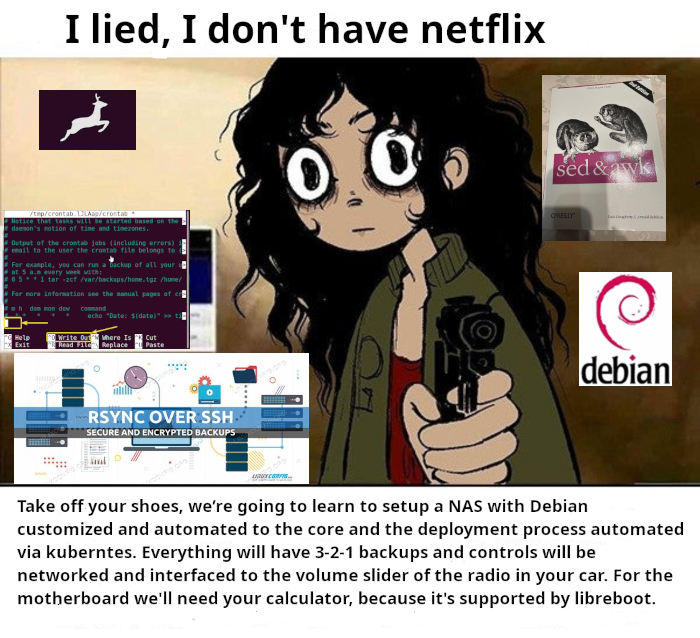
alt-text
___alt-text: The "I lied, I don't have netflix" meme template. The girl with heavy dark rings around her eyes points a gun at the observer, with various images inserted in the background. The images include references to debian, libreboot, rsync, sed&awk, cron. The text reads: "I lied, I donβt have netflix - Take off your shoes, weβre going to learn to setup a NAS with Debian customized and automated to the bone and also automate the deployment process with Kubernetes. Everything will have 3-2-1 backups and controls will be networked to the volume slider in the radio of your car. We will use the motherboard of your calculator because itβs supported by libreboot."
Does NixOS apply kernel updates live? I can't recall from when I used it.
Mine doesn't. I reboot when I get a new kernel.